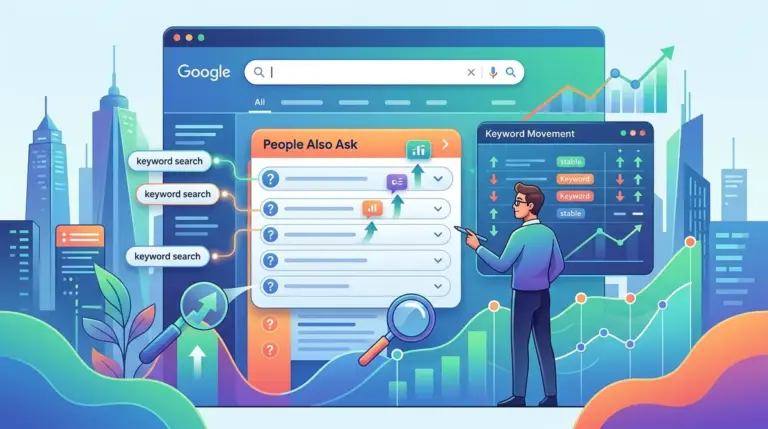


The Strategic Shift in Video Rank Tracking
Standard rank tracking—monitoring a single URL's position in a vertical list—is insufficient for modern video SEO. Video content now occupies high-value real estate through carousels, featured snippets, and the "Video" tab, often bypassing traditional blue links entirely. For an SEO campaign to be commercially viable, you must track not just where a video sits, but how it appears and which specific SERP features it triggers.
Best for: Performance marketers and agency SEOs who need to justify video production spend through measurable SERP visibility and click-through potential.
Mapping the Two Fronts of Video Visibility
Effective tracking requires a dual-layered approach. You are competing on two distinct platforms: Google’s general search results and YouTube’s internal search engine. While they share some algorithmic DNA, the ranking factors and tracking methodologies differ significantly.
Google rankings are driven by page authority, VideoObject schema, and relevance to the search query. YouTube rankings prioritize watch time, session duration, and engagement metrics. To get a complete picture, your tracking setup must distinguish between these two environments. If a video ranks #1 on YouTube but fails to appear in a Google Video Carousel for a high-volume keyword, you are missing a massive segment of top-of-funnel traffic.
Tracking Video Carousels and Rich Snippets
Google frequently aggregates videos into a horizontal "Carousel." This feature typically appears near the top of the SERP, pushing traditional organic results down the page. Tracking these requires tools that can identify "SERP Features" specifically.
When monitoring carousels, pay attention to the "Position" vs. "Visual Position." A video might be the third item in a carousel that sits at the top of the page. In terms of raw data, this is often recorded as position one, but the click-through rate (CTR) will vary depending on whether the user has to scroll horizontally to see your thumbnail.
The Role of Key Moments
Google now uses AI to identify "Key Moments" within a video, allowing users to jump to specific segments directly from the SERP. This is a critical metric for SEOs. If your video displays Key Moments, it occupies significantly more vertical pixels, effectively acting as a "mega-snippet." Tracking whether your videos trigger these timestamps is essential for understanding your "Share of Voice" on competitive keywords.
Pro Tip: When monitoring video rankings, distinguish between 'hosted' videos on your own domain and 'embedded' videos from YouTube. Google often prioritizes YouTube URLs in the 'All' search results, but may favor self-hosted videos in the 'Video' tab if VideoObject schema is correctly implemented and the video is the primary content of the page.
Configuring Your Rank Tracker for Video Intelligence
To move beyond basic position tracking, configure your monitoring tools to capture the specific nuances of video search. A generic rank check will tell you a URL is on page one, but it won't tell you if the thumbnail was suppressed or if a competitor’s video is outshining yours with a "Live" badge or "Key Moments" links.
- Filter by SERP Feature: Set up automated alerts for when a "Video Carousel" appears for your target keywords.
- Mobile vs. Desktop Variance: Video carousels often occupy more prominent space on mobile devices. Track these separately to ensure your thumbnails are legible on smaller screens.
- Competitor Video Analysis: Track the URLs of competing videos. If a competitor’s YouTube video consistently outranks your self-hosted video, it may indicate that Google prefers the platform's speed and metadata over your site's implementation.
- The Video Tab Vertical: Don't ignore the "Video" tab. While it receives less traffic than the "All" tab, the intent is often higher. Ensure your rank tracker scans this vertical specifically.
Technical Requirements for Accurate Reporting
If your videos aren't showing up in your tracking reports despite being live, the issue is likely technical. Rank checkers rely on what the search engine can "see." If your VideoObject schema is missing or malformed, Google may index the page but fail to recognize the video as a primary rich result.
Use the Google Search Console "Video Indexing" report in conjunction with your rank tracking software. This report identifies why videos aren't appearing in search results—common issues include "Video outside the viewport" or "Video too small." A video that isn't indexed cannot be tracked, making technical health the foundation of your ranking data.
Global vs. Local Video Rankings
Video results are increasingly localized. A "How to fix a leaky faucet" query might show different video results in London than in New York, especially if local hardware brands have optimized their content. Ensure your rank checking tool is set to the specific geographic locations relevant to your business to avoid skewed data.
Building a Video Rank Monitoring Workflow
To turn data into strategy, establish a weekly cadence for reviewing video performance. Start by identifying keywords where a video carousel is present but your brand is absent. This represents a "content gap." If you have an existing video that isn't ranking, check the "Key Moments" and "Thumbnail" status. Often, a simple update to the video’s description or the addition of timestamped chapters in the metadata can trigger a jump in SERP prominence without needing to re-edit the video itself.
Finally, correlate your ranking data with your video analytics. High rankings in a Google Carousel should lead to an uptick in "External" traffic sources in your YouTube Analytics or a rise in plays in your self-hosted player. If rankings are high but traffic is low, your thumbnail or title is likely failing to convert the impression.
Video SEO FAQ
Does a video's rank on YouTube affect its rank on Google?
Not directly, but there is a correlation. High engagement on YouTube signals to Google that the content is high-quality and relevant, which can increase the likelihood of it being featured in a Google SERP Video Carousel.
Why does my video rank in the 'Video' tab but not on the main 'All' search results?
The 'All' tab is highly competitive and usually reserved for videos that Google deems essential to answering the query. The 'Video' tab is a broader index. If you aren't on the main page, your content may lack the authority or the specific 'Key Moments' Google needs to justify the space.
Can I track rankings for videos hosted on platforms like Wistia or Vimeo?
Yes. As long as the page containing the video is indexed and uses the correct schema markup, rank tracking tools can monitor its position in both the general SERP and the Video vertical.
How do 'Key Moments' impact my ranking position?
While they may not technically move you from position #4 to #1, they significantly increase your "visual rank" by taking up more space and providing more entry points for the user, which typically leads to a higher CTR than a standard video result.